
Safari Articles






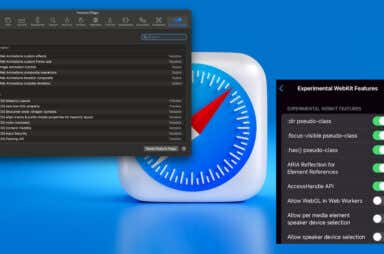
Top 10 Safari Experimental Features to Use on Your iPhone or Mac
 Dec 24th, 2023 by Anya Zhukova
Go crazy, but use with caution

How to Delete Safari Bookmarks on Your Mac
 Dec 21st, 2023 by Marshall Gunnell
Can help improve your browsing efficiency
How to Delete or Disable Frequently Visited Sites in Safari
 Sep 27th, 2023 by Sandy Writtenhouse
Maybe you just don't want to use it

How to Pin and Unpin Safari Tabs on Your iPhone
Can be better than using a bookmark
Bookmarking websites you visit often is handy, but can be inconvenient if you have hundreds of sites saved. On iPhone and iPad, you can pin a tab in Safari instead. […]
What Does “Website Tinting” Mean in Safari?
Read on to learn all about it
If you enjoy immersing yourself in the websites you visit, you can do this simply by using Safari on iPhone, iPad, and Mac. With website tinting, you’ll see the color […]

How to Add Websites to Your Favorites in Safari (iPhone and Mac)
Get you your favorite content faster
Do you have some websites that you visit often in Safari? If so, you might want to add them to your favorites for easy access. Favorites allow you to quickly […]


Can’t Clear Safari History? Try These 6 Fixes
Get back on track maintaining your privacy
Clearing your browsing history on Safari is a simple and effective way to maintain your privacy. Rarely, however, you may encounter issues when you attempt to do that, such as […]


What Does “This Connection Is Not Private” Mean in Safari?
It's better to be safe than sorry
Apple is one of the most privacy-friendly technology companies in the world, which is why you might face privacy-related error messages more often on a Mac or iPhone when using […]


How to Fix Safari’s “Cannot Open Page” Error on iPhone
We show you every possible way
[https://stock.adobe.com/images/mettingen-germany-november-9-2018-close-up-to-safari-app-on-the-screen-of-an-iphone-x-with-personalized-background/295254065?prev_url=detail] Do you see a “Cannot Open Page” error instead of the actual web page in Safari on your Apple iPhone? If so, your browser may have issues or your […]


How to Fix Webkit Encountered an Internal Error in Safari
It should work as usual after this
Do you keep running into a “Safari cannot open webpage; WebKit encountered an internal error” or a “WebKitErrorDomain:300” error code while attempting to load webpages in your Safari browser? We’ll […]

How to Fix Safari Can’t Find Server Error
Every method that we can think of
Do you keep receiving a “Safari Can’t Find the Server” or “Safari cannot open the page” error while attempting to load a website in the Safari web browser on your […]

How to View Saved Passwords in Safari on iPhone, iPad, and Mac
Important if you need to find one
Like other web browsers, Safari lets you save your password when signing into a website. Safari also lets you view your saved passwords whenever you want. Here’s how to do […]

How to Clear Your Reading List on Safari
So you can start again from scratch
Do you have too many items cluttering up the Reading List in Safari on the iPhone, iPad, and Mac? We’ll show you how you can get it back under control. […]

How To Use Safari Tab Groups on iPhone, iPad, and Mac
Great for organization or work
You’re probably used to saving websites you like by bookmarking them. You might even go as far as creating folders to keep related bookmarks together in one handy spot. With […]

How To Install or Uninstall Safari Extensions on iPhone, iPad, and Mac
Make your web experience safer, more enjoyable
Extensions help boost the default functionality in any web browser, and Safari is no exception. So whether it’s getting websites to show up in dark mode, forcing videos into picture-in-picture […]

How to Turn Off Pop Up Blocker in Safari for a Website
Because sometimes you do need them
Pop-ups can be helpful, annoying, and even dangerous. Advertisers use them to get your attention, while cybercriminals use them to lure you into clicking on them and infecting your computer […]


Safari Won’t Open on Your Mac? 6 Ways To Fix
Get back to browsing in no time flat
While many users prefer third-party web browsers such as Chrome, Firefox, Brave Browser, or Opera, Apple’s native Safari browser is pretty good! That is, assuming it’s working as intended. If […]

How to Clear Cache, History and Cookies in Safari on Mac
But be careful not to slow things down
Whenever you use Safari on the Mac, the browser ends up caching web pages to speed up subsequent visits. It also stores cookies to remember site-related preferences and even allows […]

Safari Not Working on iPhone? 13 Ways to Fix
One of these solutions will be the lucky one
Although Safari runs incredibly well on the iPhone, it isn’t without problems. Sometimes, Apple’s native web browser may act slowly, crash, or fail to load websites altogether. If Safari is […]

Safari Not Working on Mac? 9 Ways to Fix
Get Apple's favorite browser back on track
Apple puts in a lot of effort to improve and optimize Safari on the Mac, and it shows. The browser loads websites very quickly and uses less battery compared to […]