
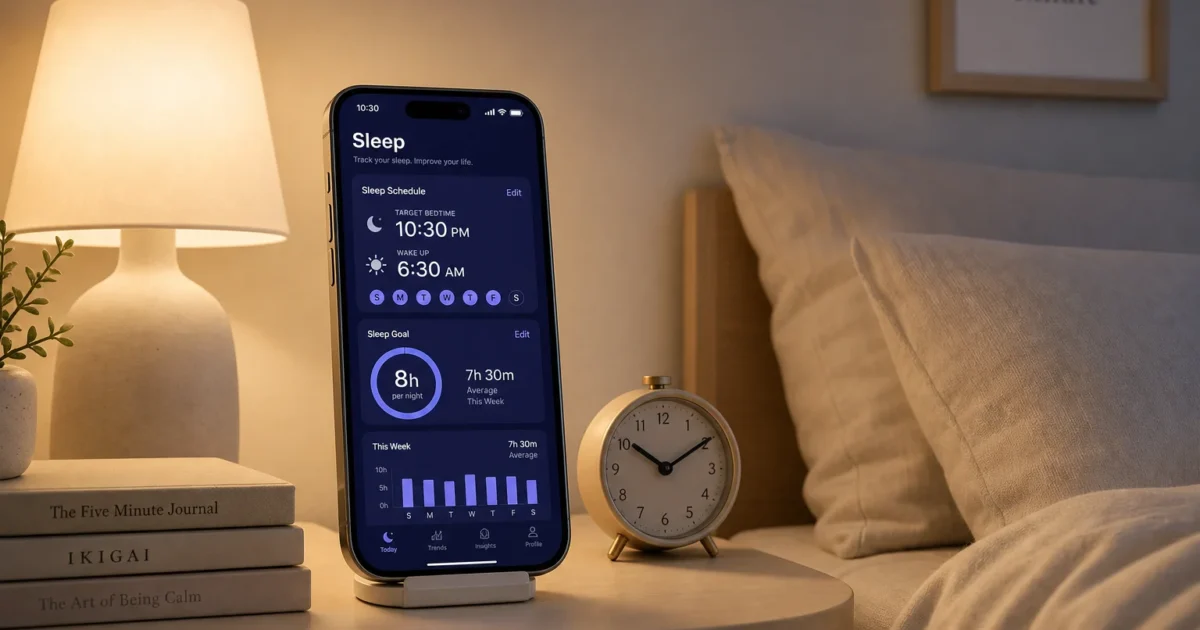
About 30% of U.S. adults regularly get less than the recommended 7 hours of sleep per night. The iPhone sitting on your nightstand can’t fix a chaotic schedule or a noisy apartment, but it can give you a clearer picture of what’s going wrong and a few tools to do something about it.
If sleep apps have always seemed vague to you, the current options are worth a look. Apple’s built-in sleep system is genuinely useful, and the best third-party apps do far more than set alarms.
Start With Apple’s Built-In Sleep Tools
Most people skip this step and head straight to the App Store. Don’t. The setup in the Health app takes about five minutes and immediately makes your phone work better at night.
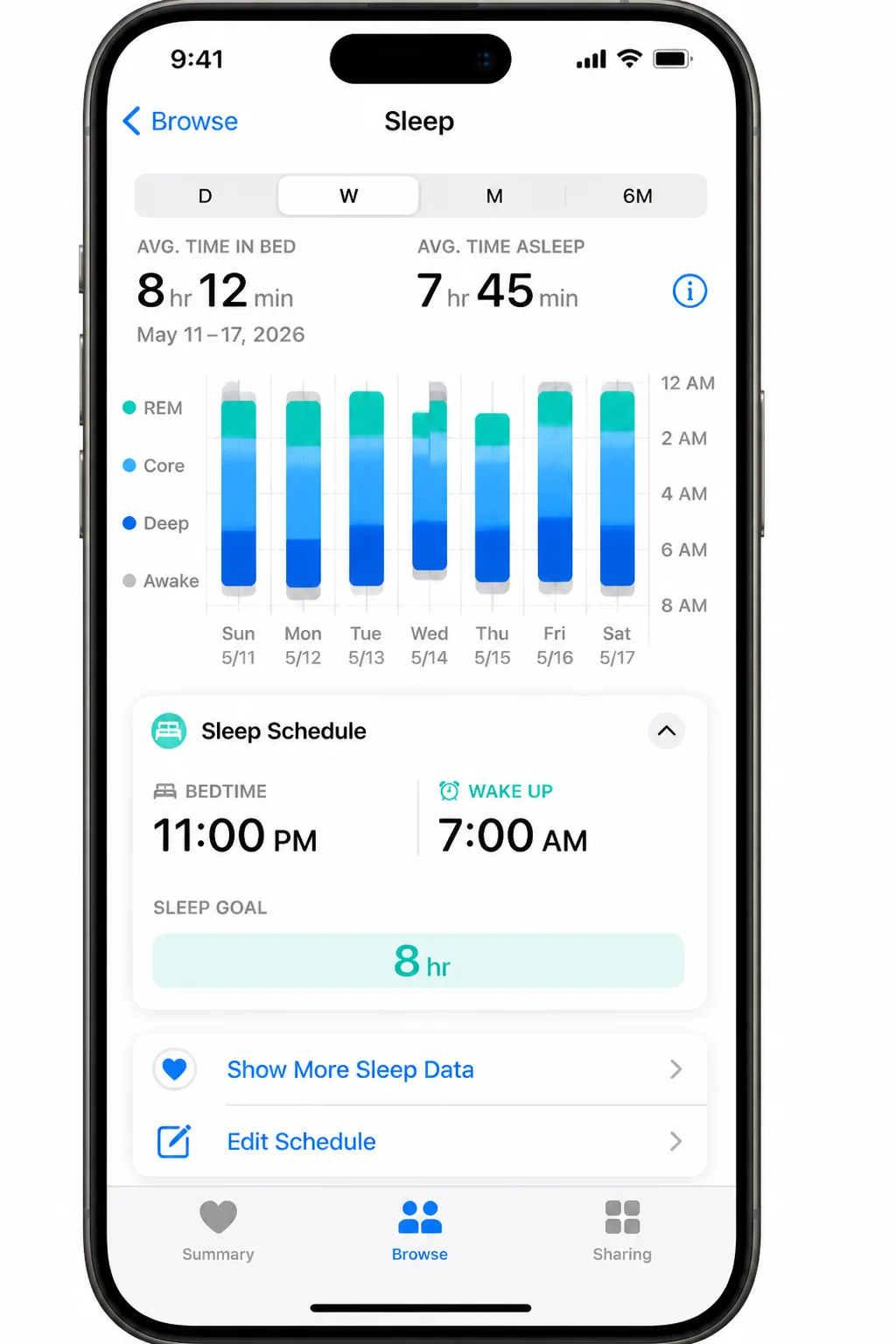
Set Up Your Sleep Schedule
Open Health, tap Browse, then tap Sleep. From there you’ll configure:
- Sleep Goal: how many hours you want per night (7–8 is the standard target for adults)
- Sleep Schedule: your target bedtime and wake time, with separate settings for different days of the week
- Wind Down: a quiet window before your bedtime where notifications taper off
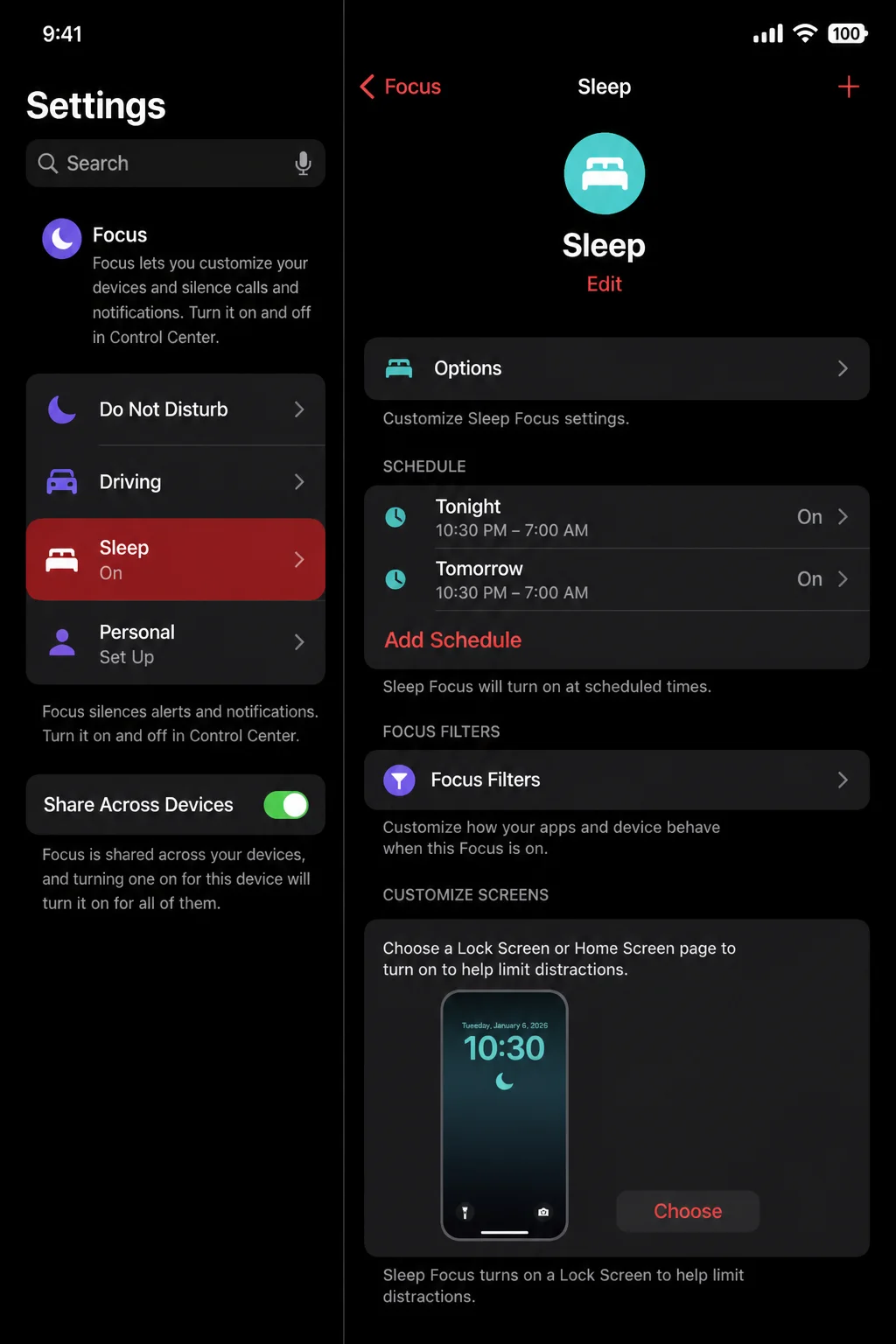
The schedule ties directly into Sleep Focus, which is what actually silences your phone at night. Make sure that connection is enabled when you finish the setup. (If you have custom Focus automations already configured, check that Sleep Focus isn’t conflicting with them.)
Configure Sleep Focus
Open Settings > Focus > Sleep. This controls which apps and contacts can still reach you during your wind-down window. You can also customize your lock screen and home screen for nighttime, useful if you don’t want a notification-filled display when you glance at your phone at 3am.
Apple Watch Sleep Tracking
If you wear an Apple Watch, open the Watch app on your iPhone, tap Sleep, and turn on Track Sleep with Apple Watch. Wear it to bed consistently, with a reasonable charge, and you’ll start seeing sleep stage estimates in the Health app after a couple of nights.
You’ll get estimates for REM, Core, and Deep sleep. The numbers aren’t clinical-grade, but patterns across a few weeks are genuinely informative.
The Best Third-Party Sleep Apps
Apple’s tools handle scheduling and basic tracking well. Third-party apps add smart alarms, detailed stage analysis, snore recording, ambient sound libraries, and coaching. Here’s a focused set organized by what you actually need.
A good sleep app does at least one of three things well: tracks your sleep, wakes you at the right point in your cycle, or helps you wind down before bed. The best ones do two or three of these together.
For Tracking Without a Wearable
Sleep Cycle is one of the most polished iPhone sleep trackers available. It uses your phone’s microphone and accelerometer to estimate sleep stages, then wakes you during a light-sleep window, so you don’t start the morning feeling like you were dragged out of deep sleep.
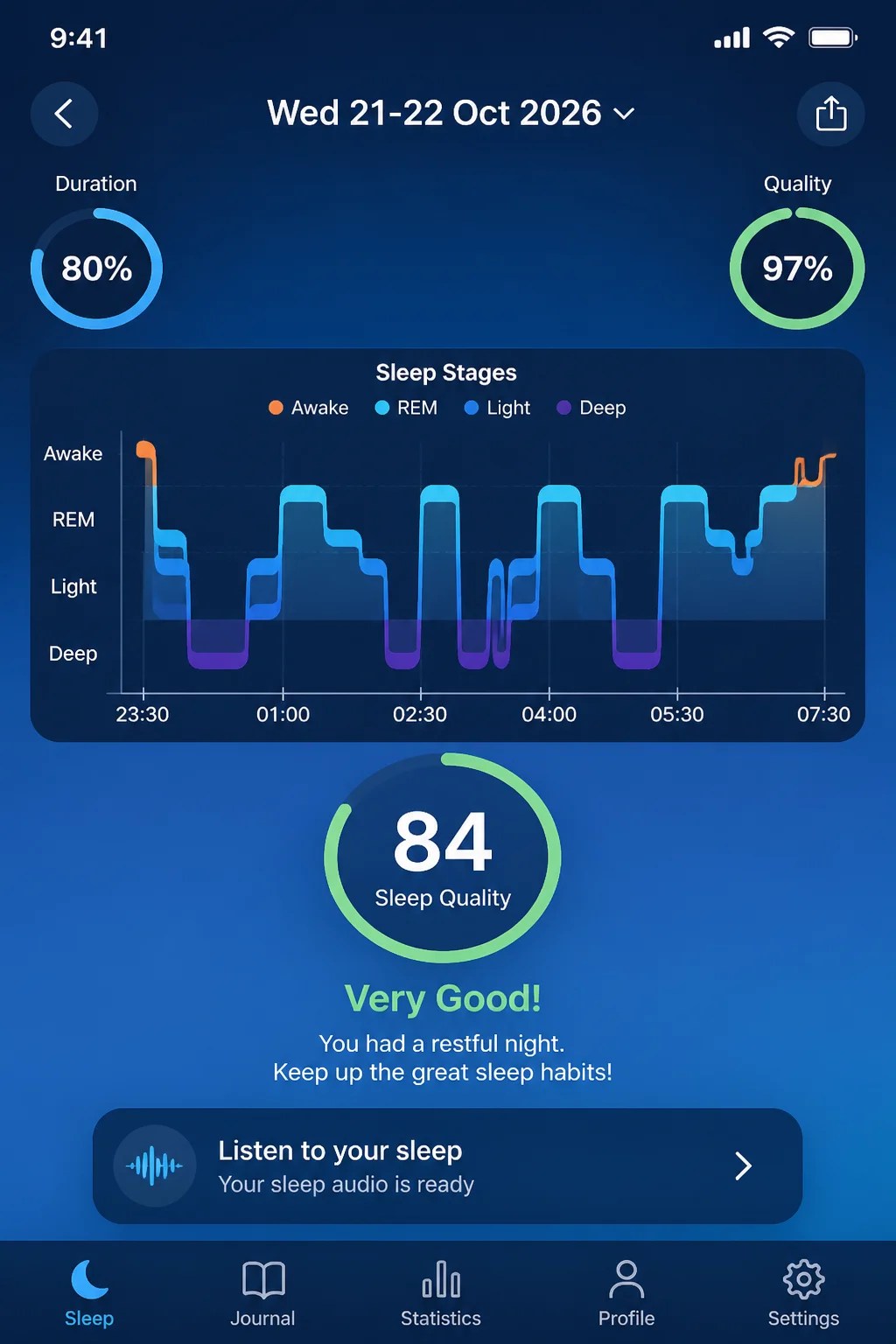
The sleep graphs are clear enough to spot patterns over time: late nights, alcohol’s effect on your cycle, inconsistent weekend schedules. Sleep Cycle is free for core features, with a premium subscription adding snore detection, online backup, and additional statistics.
BetterSleep combines tracking, a large library of ambient sounds and guided relaxations, and snoring/sleep-talk recording in one app. No Apple Watch required. A solid pick if you’d rather manage one app than two. Free tier available; the full sound library and advanced features require a subscription.
Pillow works with your iPhone alone or paired with an Apple Watch, giving you detailed sleep stage graphs, audio recording for snore detection, and long-term trend data. More data-heavy than the others. Good if you want to work through the numbers seriously. Free to download with optional premium features.
For Apple Watch Users
AutoSleep is automatic: no starting or stopping anything manually. It detects when you fell asleep, tracks overnight using your Apple Watch, and gives you a readiness and quality score each morning. Nicely done for anyone who already wears their watch to bed and doesn’t want to think about it.
SleepWatch focuses on sleep efficiency trends and uses your Apple Watch’s heart-rate data to generate coaching suggestions. If tracking alone hasn’t changed your habits and you want specific nudges on what to adjust, it’s a reasonable next step. Free with an optional premium subscription for coaching features.
For Falling Asleep: Relaxation and CBT-I
Calm is one of the better options for winding down before bed. Sleep Stories, narrated by voices like Matthew McConaughey and Stephen Fry, are the standout feature, alongside breathing exercises, body scans, and sleep-specific meditations. The free tier is limited; most of the library requires a subscription.
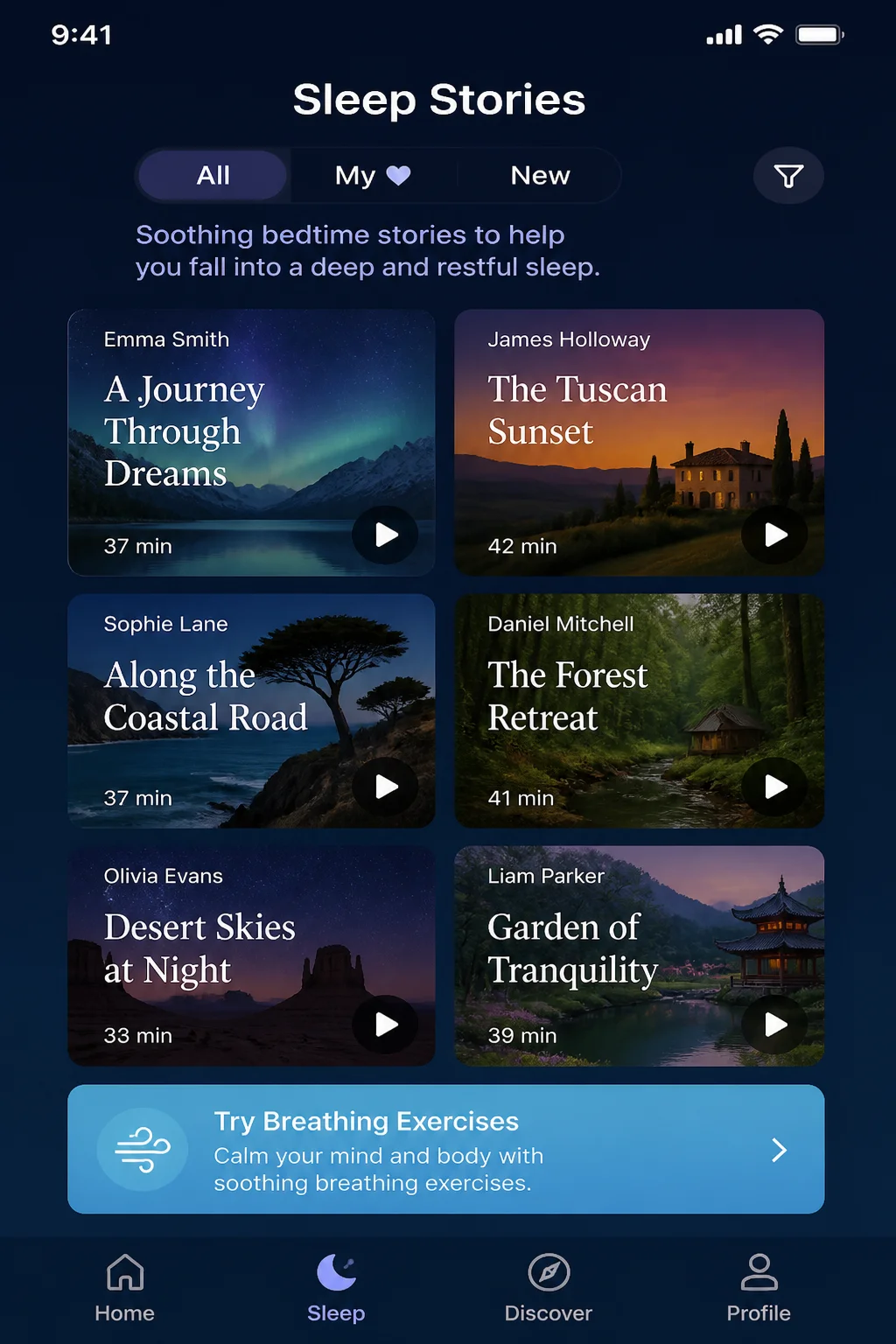
Headspace takes a more structured approach: program-based, focused on reducing anxiety and building consistent sleep habits. Worth trying if Calm’s style doesn’t suit you. A subscription is required for full access.
Sleepio is different from everything else on this list. It’s a digital CBT-I (cognitive behavioral therapy for insomnia) program, not a tracking or relaxation app. If you’re dealing with persistent insomnia, not the occasional rough night, it’s the most evidence-based option here. Some employer and insurance plans include access; otherwise it’s available as a direct subscription.
Check Your Permissions
Most sleep apps request access to your microphone, motion sensors, and Health data. Many process audio overnight, and some store that data in the cloud.
Go to Settings > Privacy & Security > Health and Settings > Privacy & Security > Motion & Fitness to review what each app can access. Check the privacy settings inside each app too. A policy that explains what audio data is stored and for how long is a good sign; vague language about “improving the service” isn’t.
Making Sense of Your Sleep Data
A few terms show up across almost every sleep app:
- Sleep efficiency: time asleep divided by total time in bed. Consistently below 85% usually points to lying awake too long before or after sleep, something most apps will flag and offer guidance around.
- Sleep regularity: how consistent your bedtime and wake time are across the week. Irregular schedules affect sleep quality even when total hours look fine.
- Sleep stages: estimates of REM, Core, and Deep sleep. Useful for spotting trends across weeks; less reliable as precise measurements of a single night.
One month of tracking is usually enough to surface an obvious culprit. Inconsistent wake times on weekends, late caffeine, and alcohol’s effect on deep sleep tend to show up clearly once you’re looking at the data.
Our Pick
Set up Health > Sleep and Sleep Focus first. It takes five minutes and it’s the foundation everything else builds on.
For tracking, Sleep Cycle is the easiest iPhone-only starting point. The smart alarm alone changes how most mornings feel. Apple Watch wearers should add AutoSleep for hands-off overnight tracking that runs without you thinking about it.
If falling asleep is the actual problem, Calm is a reliable recommendation. The Sleep Stories feel a bit silly at first. Then one actually works, and you’ll wonder why it took you this long to try it.
Your sleep data won’t shift overnight. But a month of consistent tracking tends to surface at least one clear thing to change, and that’s more useful than guessing. Worth bookmarking and setting up tonight.