
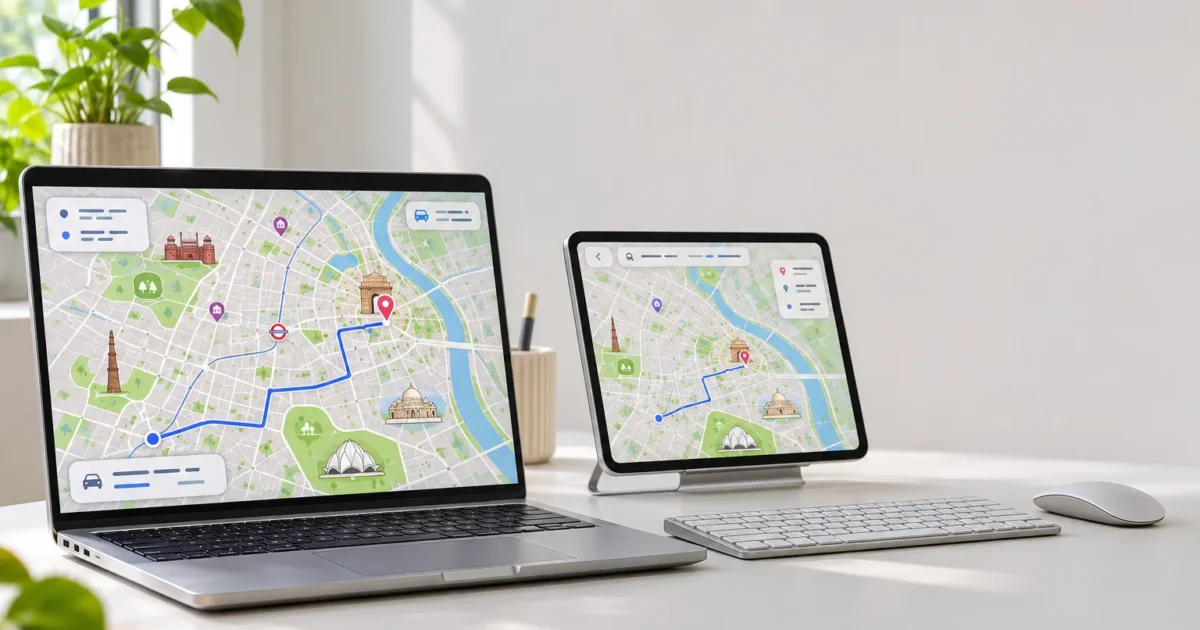
On November 18, 2026, Apple announced redesigned Apple Maps across India, available that day with more detail to help you find your way. Enhanced landmark-based guidance and bilingual labels require version 27.2 or later on the supported platforms below; that is a minimum, not an instruction to install an older patch release. This November 19 report covers the changes and what to weigh before changing your navigation habits.
What Happened: Apple Maps India Redesign
Apple says its new map shows roads, buildings, parks, and shopping centres in greater detail. It also includes over 300 three-dimensional landmarks, according to the company.

Source-supplied product artwork. Credit: Apple.
The practical change is how Maps describes what’s around you. Enhanced Natural Language Guidance uses things you can see. Apple’s example is “Turn right after the petrol pump.” That can make a turn easier to spot when a street name offers little help.
Dual-language labels show map names in regional languages alongside English. Labels depend on your device language and the language of the region you’re viewing.
Apple also announces Look Around’s interactive street-level images and augmented reality (AR) Walking Directions. AR Walking Directions uses an iPhone’s camera view to place walking guidance in your surroundings. A rollout across India doesn’t mean either feature covers every destination.
iPhone: iOS
Enhanced Natural Language Guidance and dual-language labels require iOS 27.2 or later. For AR Walking Directions, check that your particular iPhone and destination support the feature; the language-feature minimum alone does not establish AR compatibility.
iPad: iPadOS
The same two language features require iPadOS 27.2 or later. Apple also describes planning routes with several stops on iPad and syncing them to iPhone.
Apple Watch: watchOS
Enhanced Natural Language Guidance and dual-language labels require watchOS 27.2 or later. This minimum applies only to those two features.
Mac: macOS
Those two features require macOS 27.2 or later. Mac users can also plan routes that sync to iPhone.
These minima come directly from the footnote in Apple’s official announcement; MacRumors also covered the rollout. They shouldn’t be applied to Look Around, AR Walking Directions, or the redesigned map as a whole.
Transit and trip planning
Apple’s announcement names transit planning in Ahmedabad, Bengaluru, Chennai, Delhi, Hyderabad, Kolkata, Mumbai, and Pune, plus Indian Railways. It describes nearby stations, favourite routes, and alerts when it’s time to get off.
That announcement doesn’t promise every operator or local service within those cities. Check your actual journey before relying on it.
Apple also describes lane guidance before turns or elevated roads, and routes with up to 15 stops. These additions help you plan at home and follow the route on iPhone.
How It Stacks Up
Google Maps on Google Pixel and Samsung Galaxy remains the relevant Android alternative. Apple’s Look Around and Google Street View both let you preview a place at street level. For travellers, useful images at the destination matter more than the feature name.
The changes are clearer when compared with the previous Apple Maps experience in India. Apple describes a more detailed map and local guidance. MacRumors reports that Look Around is arriving in India for the first time.
Apple claims faster and more accurate navigation. Its announcement gives no independent test showing that it beats Google Maps or the previous Apple map. Added detail gives you a reason to try Maps, but it doesn’t prove better routing.
The Reaction
Public reaction is still forming. For everyday travellers, the useful question is whether these additions make familiar routes easier to follow. Is that enough to change an established habit?
Our Take
Verdict: A useful Apple Maps upgrade, with no proven lead over rivals. Landmark guidance and bilingual labels address practical problems in India. The evidence shows Apple Maps has more tools, but doesn’t prove it beats Google Maps. It also doesn’t establish how late each feature arrived.
Wrapping Up
If you want the two language features, install the latest supported release offered for your device and check that it meets the 27.2-or-later minimum. Do not seek an older 27.2 patch simply because the announcement names that minimum. Then compare one familiar journey in Apple Maps with your usual app, including station details or destination images.
These additions justify trying Apple Maps, but they don’t justify recommending that everyone switch. I’d keep your existing navigation app available while you compare.