If it starts acting strangely do this right away

If your Mac is acting strangely and you suspect a rootkit, then you’ll need to get to work downloading and scanning with several different tools. It’s worth noting that you could have a rootkit installed and not even know it.
The main distinguishing factor that makes a rootkit special is that it gives someone remote administrator control over your computer without your knowledge. Once someone has access to your computer, they can simply spy on you, or they can make any change they want to your computer. The reason why you have to try several different scanners is that rootkits are notoriously hard to detect.
Table of Contents

For me, if I even suspect there is a rootkit installed on a client computer, I immediately back up the data and perform a clean install of the operating system. This is obviously easier said than done and it’s not something I recommend everyone do. If you’re not sure if you have a rootkit, it’s best to use the following tools in the hopes of discovering the rootkit. If nothing comes up using multiple tools, you’re probably OK.
If a rootkit is found, it’s up to you to decide whether the removal was successful or whether you should just start from a clean slate. It’s also worth mentioning that since OS X is based on UNIX, many scanners use the command line and require quite a bit of technical know-how. Since this blog is geared towards beginners, I’m going to try to stick to the easiest tools that you can use to detect rootkits on your Mac.
macOS’s Built-in Rootkit Detection
Before we get into third-party tools you can use, let’s talk about macOS as your first line of defense. By default, the latest versions of macOS have a built-in malware removal tool that works in the background automatically.
You can read more about Gatekeeper, Notarization, and XProtect on Apple’s website. You want to ensure your Mac operating system is up-to-date. You can do this by going to System Preferences > Software Update and clicking on Update Now if any updates are available.
Malwarebytes for Mac
The most user-friendly program you can use to remove any rootkits from your Mac is Malwarebytes for Mac. It’s not just for rootkits, but also any kind of Mac viruses or malware.
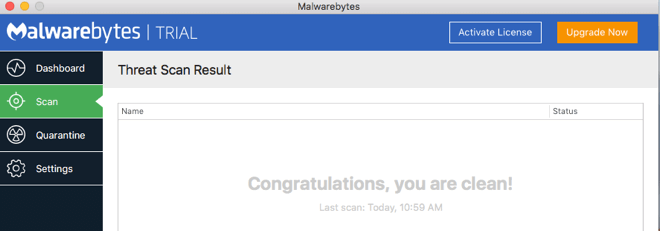
You can download the free trial and use it for up to 30 days. The cost is $40 if you want to purchase the program and get real-time protection. It’s the easiest program to use, but it’s also probably not going to find a really hard-to-detect rootkit, so if you can take the time to use the command line tools below, you’ll get a much better idea of whether or not you have a rootkit.
Rootkit Hunter
Rootkit Hunter is my favorite tool to use on the Mac for finding rootkits. It’s relatively easy to use and the output is very easy to understand. There are two ways you can install Rootkit Hunter – using Homerew or by downloading it.
You can install using brew by opening a Terminal window and pasting the following command:
/bin/bash -c "$(curl -fsSL https://raw.githubusercontent.com/Homebrew/install/master/install.sh)"If you have an Apple Silicon Mac, you can use the following command:
/bin/bash -c "$(curl -fsSL https://raw.githubusercontent.com/Homebrew/install/HEAD/install.sh)"Now to install rkhunter, type the following command:
brew install rkhunterFinally, you can run rkhunter by using the following command:
sudo rkhunter -c --enable all --disable noneIf you wish to download, go to the download page and click on the green download button.
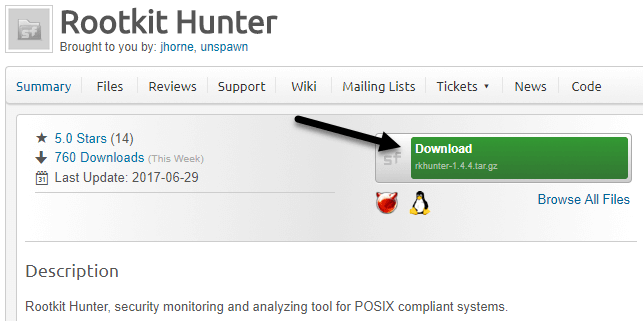
Go ahead and double-click on the .tar.gz file to unpack it. Then open a Terminal window and navigate to that directory using the CD command.
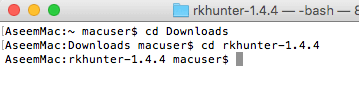
Once there, you need to run the installer.sh script. To do this, use the following command:
sudo ./installer.sh --install
You’ll be prompted to enter your password to run the script.

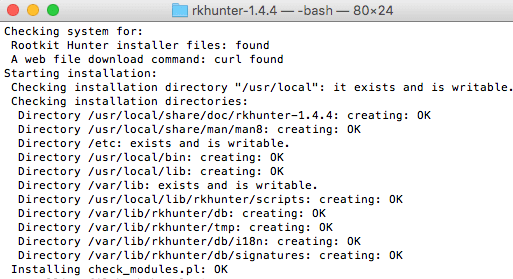
If all went well, you should see some lines about the installation starting and directories being created. At the end, it should say Installation Complete.
Before you run the actual rootkit scanner, you have to update the properties file. To do this, you need to type the following command:
sudo rkhunter --propupd
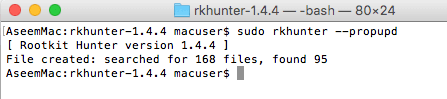
You should get a short message indicating that this process worked. Now you can finally run the actual rootkit check. To do that, use the following command:
sudo rkhunter --check
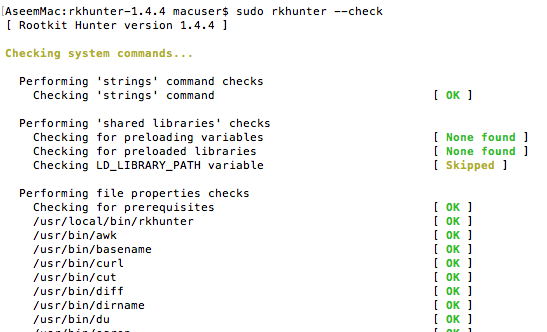
The first thing it’ll do is check the system commands. For the most part, we want green OKs here and as few red Warnings as possible. Once that is complete, you will press Enter and it’ll start checking for rootkits.
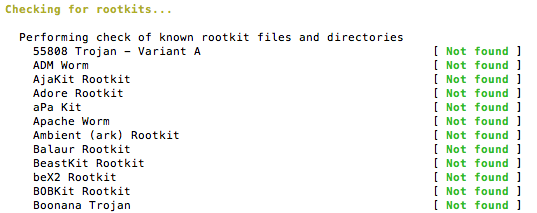
Here you want to ensure all of them say Not Found. If anything comes up red here, you definitely have a rootkit installed. Lastly, it’ll do some checks on the file system, local host, and network. At the very end, it’ll give you a nice summary of the results.
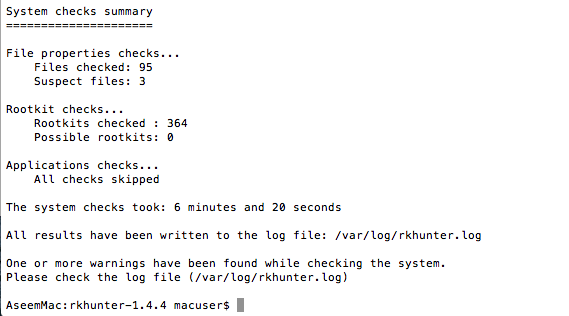
If you want more details about the warnings, type in cd /var/log and then type in sudo cat rkhunter.log to see the entire log file and the explanations for the warnings. You don’t have to worry too much about the commands or startup files messages as those are normally OK. The main thing is that nothing was found when checking for rootkits.
chkrootkit
chkrootkit is a free tool that will locally check for signs of a rootkit. It currently checks for about 69 different rootkits. You can also install chkrootkit using Homebrew or by downloading.
After you have installed Homebrew as mentioned above, go ahead and run the following command in Terminal:
brew install chkrootkitTo run the tool, simply type the following command:
sudo chkrootkitThat’s the quickest method! If you want to download the tool, go to the site, click on Download at the top and then click on chkrootkit latest Source tarball to download the tar.gz file.
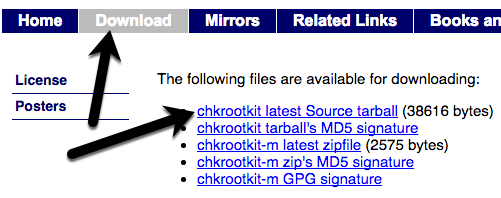
Go to the Downloads folder on your Mac and double-click on the file. This will uncompress it and create a folder in Finder called chkrootkit-0.XX. Now open a Terminal window and navigate to the uncompressed directory.
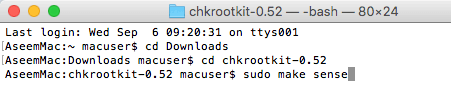
Basically, you cd into the Downloads directory and then into the chkrootkit folder. Once there, you type in the command to make the program:
sudo make sense
You don’t have to use the sudo command here, but since it requires root privileges to run, I have included it. Before the command will work, you might get a message saying the developer tools need to be installed in order to use the make command.
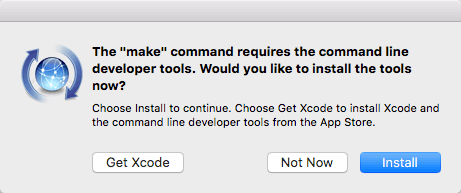
Go ahead and click on Install to download and install the commands. Once complete, run the command again. You may see a bunch of warnings, etc., but just ignore those. Lastly, you will type the following command to run the program:
sudo ./chkrootkit
You should see some output like what is shown below:
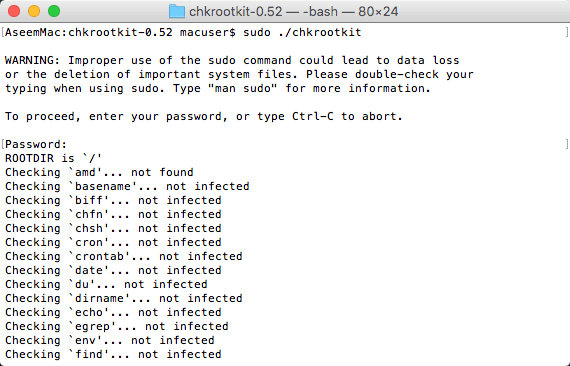
You’ll see one of three output messages: not infected, not tested and not found. Not infected means it didn’t find any rootkit signature, not found means the command to be tested is not available and not tested means the test was not performed due to various reasons.
Hopefully, everything comes out not infected, but if you do see any infection, then your machine has been compromised. The developer of the program writes in the README file that you should basically reinstall the OS in order to get rid of the rootkit, which is basically what I also suggest.
ESET Rootkit Detector
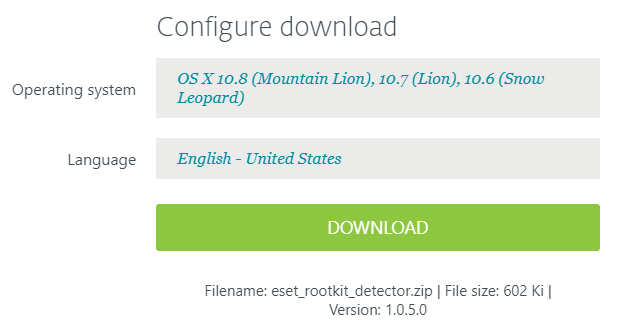
ESET Rootkit Detector is another free program that is much easier to use, but the main downside is that it only works on OS X 10.6, 10.7 and 10.8. Considering OS X is almost to 10.13 right now, this program won’t be helpful for most people.
Unfortunately, there aren’t many programs out there that check for rootkits on Mac. There are a lot more for Windows and that’s understandable since the Windows user base is so much larger. However, using the tools above, you should hopefully get a decent idea of whether or not a rootkit is installed on your machine. Enjoy!